

Website Migration Services Without Losing a Single Ranking
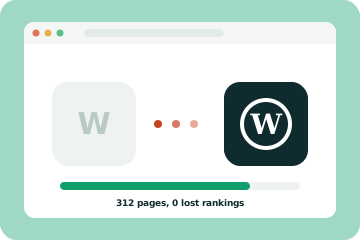
Move platforms without losing a single ranking. Moving from Wix, Squarespace, Webflow or Shopify to a new platform is a big step. We handle the whole move, from content and redirects to forms and tracking, so your visitors and your rankings arrive safely on the other side.
- Wix, Squarespace, Webflow, Shopify
- Full redirect plan
- Zero downtime launch
Signs it is time to move
If any of these sound like your business, you are in the right place. Each one is fixable.
Check my site for free-
You have outgrown your platform
Missing features, clunky workarounds and app fees are adding up.
-
Your site is slow and you cannot fix it
Some platforms limit how much you can speed things up.
-
SEO feels boxed in
You cannot control URLs, schema or technical settings the way you need.
-
You are worried about losing traffic
Moving without a plan can undo years of work. With a plan, it does not have to.
What the migration covers
-
01
Content move
Pages, posts, products, images and forms moved and checked one by one.
-
02
URL mapping and redirects
Every old URL sent to the right new page to keep rankings and links.
-
03
SEO carried over
Titles, descriptions, headings and schema kept or improved.
-
04
Design match or refresh
Keep your current look or use the move to refresh it.
-
05
Tracking and forms
Analytics, Search Console and every form tested before launch.
-
06
Launch and watch
A smooth switch with no downtime, then close monitoring for problems.
Website migrations
Our website migration services move your site to a new platform without losing rankings, content or leads. A website migration moves your site from one platform to another, for example from Wix, Squarespace or Webflow to WordPress, or from WooCommerce to Shopify. A good website migration is almost invisible to your visitors. Everything simply works, only faster and with more room to grow.
Why businesses move platforms
Every platform is good at something. Wix and Squarespace are easy to start with, but many businesses outgrow them. Webflow is brilliant for design but not ideal for every store. Shopify handles payments well, while WooCommerce gives you full control. The right platform depends on where your business is heading, not just where it started.
Common reasons to move include slow pages you cannot fix, SEO limits, rising app fees, missing features and wanting full ownership of your site and data.
How a safe website migration works
- A full inventory of pages, posts, products, forms and integrations
- A URL map so every old address points to the right new page
- The new site built and tested in a private staging area
- Content, images and SEO settings moved and checked
- A quick switch with no downtime, then close monitoring
Redirects are the heart of any website migration. They tell Google and your visitors where each page now lives, so rankings and backlinks carry over. Google's guide to redirects and Google Search explains why permanent redirects matter.
Moving to WordPress
WordPress is the most common destination because it is flexible, great for content and fully yours. Our WordPress development team builds lean, fast sites without heavy page builders, so you get the speed boost you were hoping for.
Moving your store
Store migrations need extra care with products, variants, customers and order history. We handle moves between Shopify, WooCommerce and other platforms and keep your product URLs and SEO intact. See our Shopify development and WooCommerce development pages for more on each platform.
A chance to improve
A move is also a good time to refresh your design and content. Many clients combine a website migration with a website redesign, so they only go through one launch.
Our website migration checklist
Every migration follows the same core steps, whatever the platforms involved. Skipping any of them is how businesses lose traffic after a move.
- Crawl the current site and export every URL, page title and meta description
- Pull traffic and ranking data so we know which pages matter most
- Plan the new URL structure and keep URLs the same wherever the new platform allows
- Build a full redirect map from every old URL to its new home
- Move content, images, alt text and structured data carefully
- Rebuild forms, tracking and integrations and test them on a staging site
- Launch, submit the new sitemap and watch Search Console daily for the first weeks
You can read the full process in our website migration SEO checklist. Google's own guide to site moves with URL changes is also worth a look.
Common migrations we handle
Most of our migrations fall into a few patterns. Wix and Squarespace sites move to WordPress or Webflow when owners want more control over speed and SEO. WordPress sites move to Webflow when marketing teams want easier visual editing. Stores move between WooCommerce and Shopify when their needs change. Each path has its own traps. Wix cannot export a working website, so pages are rebuilt. Shopify uses fixed URL patterns for products and collections, so redirects are essential. WooCommerce stores often carry years of product reviews and order history that need moving too.
If you are still choosing a platform, our comparisons of WordPress vs Webflow and Wix vs WordPress explain the trade-offs. Our WordPress, Webflow and Shopify pages cover each platform in more detail.
What to expect after launch
A small, short dip in traffic is normal after any migration while search engines recrawl the site and process the redirects. With a careful migration, it usually recovers within a few weeks. A large or lasting drop almost always points to a problem, such as missing redirects, pages blocked from indexing or content that was left behind. We monitor rankings, traffic and errors after launch and fix issues as soon as they appear, so small problems never turn into big ones.
A migration is also a good moment to improve the site. Many clients combine the move with a website redesign, faster templates and a tidy-up of old content. Our SEO services team can then build on the new foundation.
Planning a move? Get in touch for a fixed quote, or start with a free website audit of your current site.
Website migration services by platform
Each move has its own traps. We have detailed guides and fixed-price services for the most common ones:
- Squarespace to WordPress migration
- Wix to WordPress migration
- Webflow to WordPress migration
- Shopify and WooCommerce store migrations, see ecommerce development
SEO website migration services
Rankings are lost in migrations for predictable reasons: changed URLs without redirects, missing metadata, dropped structured data and slower pages. Our SEO website migration services cover a full URL map, 301 redirects, metadata and schema transfer, a crawl before and after launch and Search Console monitoring for the following weeks. Our website migration SEO checklist lists every step.
How it works
Clear steps, one fixed price and no jargon along the way.
-
Step 1
Audit
We list every page, URL, form and integration on your current site.
-
Step 2
Plan
A written migration plan with redirects, timeline and one fixed price.
-
Step 3
Build and move
We build the new site and move your content in a staging area.
-
Step 4
Switch and monitor
We launch, test every redirect and watch rankings for the next few weeks.
Recent work
A few projects we are proud of.

Guides on this topic
 SEO
Website migration SEO checklist
The steps that protect your rankings when you move to a new website platform.
SEO
Website migration SEO checklist
The steps that protect your rankings when you move to a new website platform.
 Web design
Website redesign checklist
A practical checklist to redesign your website without losing traffic, rankings or leads.
Web design
Website redesign checklist
A practical checklist to redesign your website without losing traffic, rankings or leads.
 Web design
How much does a website redesign cost in 2026?
Typical website redesign costs in 2026, what drives the price and how to budget for a redesign that keeps your rankings.
Web design
How much does a website redesign cost in 2026?
Typical website redesign costs in 2026, what drives the price and how to budget for a redesign that keeps your rankings.
Simple, honest pricing
Starting prices for our most common projects. You always get one fixed price in writing before any work starts.
Starter website
New businesses that need a professional site, fast.
from $1,490 one-time
- Up to 5 custom-designed pages
- WordPress, Webflow or Wix
- Mobile-first and built for speed
- On-page SEO and Google Search Console
- Contact form, map and click-to-call
- 2 rounds of design changes
- Training video and 30 days of support
- Not included: Domain, hosting and paid plugins not included
Business website
Most popularGrowing businesses that want more enquiries from Google.
from $2,990 one-time
- Up to 12 pages, including service and location pages
- Everything in Starter
- Copywriting for your key pages
- Local SEO setup and business schema
- Blog, booking or CRM integration
- 3 rounds of design changes
- 60 days of support after launch
- Not included: Domain, hosting and paid plugins not included
Online store
Brands selling online with Shopify or WooCommerce.
from $4,990 one-time
- Custom store design on Shopify or WooCommerce
- Up to 50 products uploaded and optimised
- Payments, shipping and tax set up
- Product and collection SEO with schema
- Abandoned cart and order emails
- Checkout tested on real phones
- 60 days of support after launch
- Not included: Domain, hosting, apps and payment fees not included
Essential
Brochure sites that need to stay safe and up to date.
$99 /month
- Weekly core, theme and plugin updates
- Daily off-site backups
- Uptime monitoring
- Security scans
Support replies within 2 business days
Growth
Most popularBusiness sites that change often and need to stay fast.
$249 /month
- Everything in Essential
- 3 hours of content or design changes
- Monthly speed and Core Web Vitals report
- Priority support within one business day
Priority support within 1 business day
Commerce
WooCommerce stores where downtime costs sales.
$449 /month
- Everything in Growth
- Checkout and payment testing after every update
- Hourly database backups
- 6 hours of development time
Same business day support for urgent issues
Prices in US dollars, quoted in your own currency on request. Need something different? Every project gets its own fixed quote. Or start with a free audit →
Estimate your project with the website cost calculator → See all website design pricing →
Get a free audit of your website.
Enter your address and we will check it the way Google does. You get a plain-English report of what is slowing the site down, what is hurting your rankings and what to fix first.
- Mobile and desktop PageSpeed scores
- Core Web Vitals: LCP, CLS and INP
- On-page SEO: titles, headings, schema
- The three fixes that will make the biggest difference
Free, with no sales call required.
Questions we hear a lot
Which migrations do you handle?
Wix, Squarespace, Webflow, Shopify, WooCommerce and WordPress in most directions, plus custom sites.
Will my site go offline?
No. We build the new site separately and switch over in minutes when everything is ready.
What about my blog and products?
We move posts, products, customers and orders where the platforms allow it.
Will I keep my rankings?
A careful redirect plan protects them. Small wobbles for a week or two are normal, then rankings usually settle or improve.
Can you move my email too?
We can guide you through email and domain settings so nothing breaks during the switch.
How long does a migration take?
Small sites usually move in two to four weeks. Larger sites and online stores take longer, depending on the amount of content and data.
Do you create a redirect map?
Yes. Every old URL is mapped to its new home with a permanent 301 redirect, and we share the map with you before launch.
Can you move my site to a new domain?
Yes. We handle the redirects and use Google's Change of Address tool so search engines understand the move.
What happens to my tracking and analytics?
We move and test analytics, conversion tracking and Search Console, so your data continues without gaps.
Do you check the site after launch?
Yes. We monitor rankings, traffic and errors for several weeks and fix any issues quickly.
Often paired with
Start a project
Tell us a little about your business. You will hear from a real person within 24 hours with next steps and a rough budget range.
Thank you!
Your message is on its way. We read every inquiry ourselves and will reply within one business day.
- 1We read your message and look at your current site.
- 2You get a reply within one business day, usually with a few first ideas.
- 3If it is a good fit, we book a short call at a time that suits you.