

Web Design Trends for 2027: What Is Worth Copying
The web design trends worth following in 2027, which ones help small businesses win more customers, and which ones to skip.
Every year brings a new list of web design trends, and most of them are written for designers, not business owners. This guide is different. We look at the web design trends we expect to keep growing through 2027, and judge each one by a simple test: does it help a small business win more customers?
The web design trends worth following
1. Bold, expressive typography
Big, confident headlines are everywhere, and for good reason. A large headline that says exactly what you do is easier to read on a phone and makes your offer clear in seconds. The trend works when the words are specific. It fails when a huge font is used for an empty slogan.
Use it if: you can say what you do in one strong sentence.
2. Bento grid layouts
Bento layouts arrange content in tidy boxes of different sizes, like a lunch box. They are great for showing services, features, stats and proof at a glance, and they adapt well to mobile.
Use it if: you have several short points to show, such as services or reasons to choose you.
3. Real photography instead of stock
Buyers are tired of stock photos. Real photos of your team, premises and work build trust faster than any design detail. This trend is growing as AI-generated images become common: authentic photos stand out.
Use it always. Book a half-day photo shoot before your next redesign.
4. Speed as part of the design
Fast sites are now a design goal, not just a technical one. Lean themes, fewer scripts, modern image formats and careful use of animation keep pages quick on mobile. Google’s Core Web Vitals reward this, and so do impatient visitors.
Use it always. Our explainer on Core Web Vitals shows what to aim for.
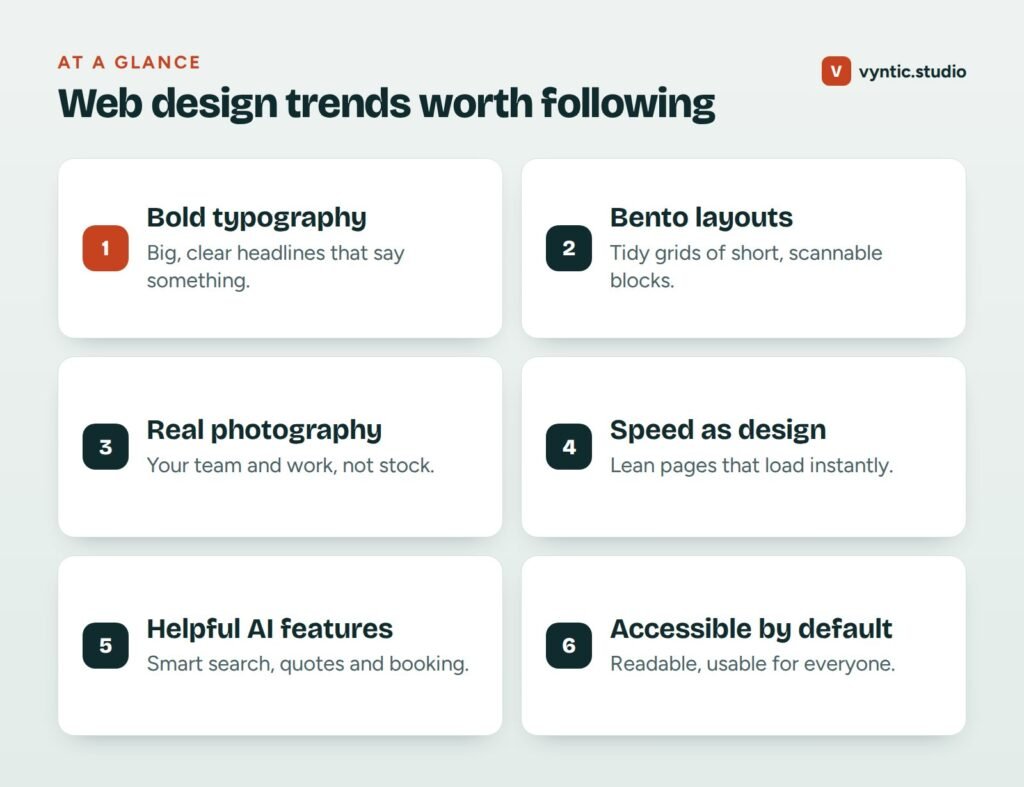
5. Helpful AI features
AI is moving from novelty to useful tool on business websites: smarter site search, instant quote estimates, booking assistants and chat that answers common questions from your own content. The best uses save the visitor time. The worst are chatbots that block people from simply calling you.
Use it if: it answers a real question faster than a page or a phone call would.
6. Accessibility by default
Accessible design means good color contrast, readable font sizes, clear focus states for keyboard users, descriptive link text and alt text for images. It helps everyone, including older visitors and people on small screens in bright sunlight, and accessibility rules are tightening in many countries.
Use it always.
7. Interactive tools and calculators
Cost calculators, quizzes and planners keep people engaged and give them a reason to share details. They also attract links and AI citations because they answer specific questions. Our own website cost calculator is an example.
Use it if: your customers often ask “how much will this cost me?”
8. Subtle motion
Small animations on scroll or hover can guide attention and make a site feel polished. Heavy animation slows pages and distracts. Keep motion short, purposeful and respectful of users who turn off animations in their device settings.
Use it lightly.
Web design trends to skip or use carefully
- Full-screen video backgrounds that slow the page and hide the message.
- Experimental navigation that makes visitors hunt for your services or phone number.
- Low contrast text that looks stylish and is hard to read.
- Endless pop-ups asking for emails before people have read anything.
- Generic AI imagery that makes your business look like everyone else.
How to use web design trends without wasting money
Before adopting any trend, ask three questions:
- Does it make our offer clearer?
- Does it keep the site fast on mobile?
- Does it help people contact us or buy?
If the answer to any is no, skip it. A clear, fast, trustworthy site will outperform a trendy, slow one every time.
Is it time for a refresh?
If your site looks dated next to competitors, read our list of signs you need a website redesign and our guide to the website redesign process. You can also see recent projects in our web design portfolio.
Our web design service builds fast, modern sites that use trends to make your message clearer, not just prettier. Book a free project call to talk about your site.
Frequently asked questions
Which web design trends help small businesses most?
Trends that make your offer clearer and your site faster help most: bold readable headlines, real photography, simple layouts, fast pages and accessible design.
Should I redesign my site to follow the latest trends?
Not just for trends. Redesign when your site is slow, hard to use on mobile, out of date or failing to convert. Use trends to improve clarity, not as decoration.
How do I know if my website design is out of date?
Compare it on a phone with the top three competitors in your area. If yours is slower, harder to read or less clear about what you do, it is out of date, whatever year it was built.
Do web design trends affect SEO?
Indirectly. Trends that improve speed, mobile use, accessibility and clear structure help SEO. Trends that add heavy video, hidden text or slow scripts can hurt it.
Is dark mode a must for websites in 2027?
Not a must. It is a nice extra for some audiences. Good contrast and readability in your main design matter far more.
Comments