

Google Business Profile guide
Everything you need to set up, optimize and keep your Google Business Profile working for you.

Your Google Business Profile is often the first thing people see when they search for your business or your service nearby. A complete, active Google Business Profile brings calls, direction requests and website visits, often more than the website itself. This guide shows you how to set it up properly and keep it working.
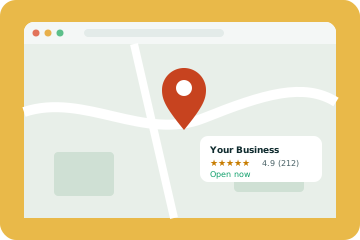
Claim and verify your profile
Search for your business on Google Maps. If a profile already exists, claim it. If not, create one at business.google.com. Google will ask you to verify that you run the business, usually by video, phone or postcard. Verification can take a few days, so start early.
You need a real address to verify, even if customers never visit you. Service businesses can hide their address and show a service area instead. Never use a virtual office or fake address, as Google regularly suspends those profiles.
Choose the right categories
Your primary category has a big effect on which searches you appear for. Pick the most specific option that matches your main service, for example cosmetic dentist rather than just dentist if that is your focus. Add secondary categories for other services you genuinely offer.
Fill in every section
- Business name exactly as it appears in real life, with no extra keywords
- Phone number and website link
- Opening hours, including special hours for holidays
- Services with short descriptions and prices where possible
- Products if you sell them
- Attributes such as wheelchair access or online appointments
- A clear description of what you do and who you help
Add real photos
Profiles with photos get more clicks. Add your logo, a cover photo, photos of your team, your premises and your work. Real photos beat stock images every time. Add new ones every month or two to keep the profile fresh.
Get and answer reviews
Reviews are one of the strongest signals on your profile. Share your review link with every happy customer, by text or email right after the job. Reply to every review within a few days. Thank people for good reviews, and respond calmly and helpfully to negative ones. Future customers read your replies as much as the reviews.
If you want review requests to run automatically, our GoHighLevel setup can send them after every appointment.
Post updates
Google Business Profile posts let you share offers, news and updates. They do not need to be long. A photo and two or three sentences every couple of weeks shows Google and customers that you are active.
Use the Q&A section
Anyone can ask and answer questions on your profile. Add your own common questions and answer them yourself, so the information is accurate. Check regularly for new questions.
Link it to your website
Your profile and website should back each other up. Use the same name, address and phone number on both, link to the most relevant page, and make sure your website clearly describes the services and areas listed on your profile. Our local SEO service covers both sides together.
Track results
The Performance section shows how many people found you, called you, asked for directions or clicked to your website. Check it monthly to see what is working.
Common mistakes to avoid
- Stuffing keywords into your business name
- Using a fake or virtual address
- Letting hours go out of date
- Ignoring reviews, especially negative ones
- Setting it up once and never touching it again
A monthly routine that takes 20 minutes
- Add two or three new photos
- Publish one post with an update or offer
- Reply to every new review
- Check your hours, especially around holidays
- Look at the Performance report and note calls and direction requests
Small, regular updates keep your profile accurate and show Google that the business is active. Most owners can fit this into a single coffee break each month.
Services and products: fill them in properly
Many businesses skip the services and products sections, but they help Google understand exactly what you offer. Add every main service with a short description in plain language, and include prices or price ranges where it makes sense. Products work well for fixed packages, such as a dental check-up, a boiler service or a website audit. Each one gives Google another way to match your profile to a search.
Photos that actually help
Profiles with fresh, real photos tend to get more clicks than profiles with a logo and a stock image. Aim for a mix: the outside of your premises so people can find you, the team, the inside of your space and examples of finished work. Add a few new photos every month rather than fifty at once. Phone photos are fine as long as they are sharp and well lit.
- Exterior: helps people recognise you when they arrive
- Team: builds trust before the first call
- Work: proves you do what you say
- Avoid stock photos, heavy filters and text-covered images
Handling negative reviews
Every business gets an unhappy review sooner or later. What matters is how you respond. Reply calmly, thank them for the feedback, apologise for their experience without arguing about details, and offer to continue the conversation privately. Future customers read these replies, and a thoughtful answer often builds more trust than a page of perfect scores. If a review breaks Google's rules, such as spam or a review from someone who was never a customer, you can report it through your profile.
Connect your profile and your website
Your profile and your website should support each other. Make sure your business name, address and phone number match exactly, link each profile to the most relevant page (for multi-location businesses, the location page rather than the homepage) and add local schema to your site. Our local SEO guide covers the website side in more detail, and industry guides such as local SEO for dentists show how it works for a specific type of business.
If you would rather hand this over, our local SEO service includes full profile management, and our GoHighLevel setup can automate review requests after every job. Google's own profile guidelines are worth reading once so you know what is and is not allowed.
Where to go next
Once your profile is in good shape, the next step is your website. Read our local SEO guide to see how the two work together, and our guide on getting recommended by ChatGPT to see how the same signals help in AI answers.
A strong Google Business Profile is the foundation of local SEO. For the full picture, read our local SEO guide, or get a free website audit to see how your online presence stacks up.
Google Business Profile optimization checklist
- Most specific primary category, plus relevant secondary categories
- Every service listed with a short description
- Accurate hours, including holidays
- At least ten real photos, with new ones added monthly
- Reviews requested after every job and every review answered
- Two or more posts a month
- Questions and answers filled in
- Name, address and phone matching your website exactly
Short on time? Our Google Business Profile optimization services handle all of this for you and report on calls and direction requests every month.
Frequently asked questions
Is Google Business Profile free?
Yes. Creating and managing a profile is free.
How often should I post?
Every one to two weeks is plenty for most businesses.
Can I have more than one profile?
Only one per real location. Separate profiles for fake locations break Google's rules.
How do I verify my Google Business Profile?
Google offers several methods, such as a video, phone, text or postcard, depending on your business. The profile manager shows your options.
What categories should I choose?
Choose the primary category that best describes your main service, then add a few accurate secondary categories. Avoid categories you do not really offer.
Can I add my service areas?
Yes. Service area businesses can list the cities or regions they cover and hide their street address if customers do not visit.
How many photos should I add?
There is no magic number. Add a set of good photos at the start, then a few new ones every month to keep the profile fresh.
Can I remove a bad review?
Only if it breaks Google's rules, such as spam or fake reviews. Otherwise, a calm and helpful reply is the best response.
Why is my profile suspended?
Common causes are a virtual office address, keyword stuffing in the business name or details that do not match your website. Fix the issue, then request reinstatement.
Do Google posts help rankings?
They are not a major ranking factor, but they keep your profile active and give customers useful, up-to-date information.
Key takeaways
The businesses that do well here are rarely the ones with the biggest budgets. They are the ones that get the basics right, measure what changes and keep going month after month. If you would like a second pair of eyes on your own site, get a free website audit or talk to us.