
Local SEO for dentists
How dental clinics can rank in Google Maps and turn local searches into new patients.

Most new patients find a dentist the same way: they search on their phone, look at the map, compare reviews and book with the clinic that feels right. Local SEO for dentists is about making sure your clinic is in that map, looks trustworthy and is easy to book. Here is how to do it.
Start with your Google Business Profile
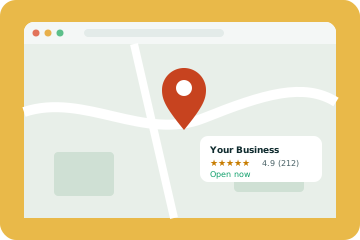
Your profile is the front door for local search. Choose dentist as your primary category, or a more specific one like cosmetic dentist if that is your focus. Add secondary categories for services such as emergency dental care or orthodontics. List every treatment, upload real photos of your team and clinic, and keep hours accurate.
Reviews matter even more for dentists
Dental patients are often nervous, so reviews carry extra weight. Ask every happy patient for a review after their appointment, ideally with a text containing a direct link. Reply to every review warmly and professionally, and never share patient details in replies. Our Google Business Profile guide covers review tips in more depth.
Build treatment pages that answer questions
Patients search for specific treatments: dental implants near me, Invisalign cost, emergency dentist open now. Each main treatment deserves its own page explaining what happens, how long it takes, whether it hurts and roughly what it costs. These pages help you rank for treatment searches and give patients the confidence to book.
- Check-ups and hygiene
- Implants
- Invisalign and braces
- Teeth whitening
- Emergency appointments
- Children's dentistry
Make booking effortless
Local SEO brings visitors, but your website has to convert them. Online booking, a click-to-call button and clear opening hours make a big difference. A good dental website design puts booking one tap away on every page.
Add local schema
Schema markup tells Google your clinic's name, address, hours and services in a format it can read easily. Use the Dentist schema type where possible. Many SEO plugins support it.
Keep your details consistent
Your name, address and phone number should match everywhere: your website, Google, Facebook, NHS or insurance directories, and dental listing sites. Check older directories for outdated details.
Think about AI search
Patients increasingly ask ChatGPT or Google AI to recommend a dentist. Clear treatment information, strong reviews and consistent listings all help AI tools recommend you. Our AI search visibility service focuses on this.
Track new patient enquiries
Measure calls, bookings and form enquiries, not just rankings. Your Google Business Profile shows calls and direction requests each month.
A 90 day plan for dental clinics
Month one
Complete your Google Business Profile, fix inconsistent listings, and make sure your website has a page for each main treatment with clear booking options.
Month two
Start asking every happy patient for a review, add fresh photos and publish two helpful posts or treatment FAQs.
Month three
Review your results, strengthen the treatment pages that get the most interest and add local schema if you have not already. Keep the review requests going.
Most clinics that follow this plan see more calls and bookings from Google Maps within three to six months.
Common mistakes clinics make
- Using a keyword-stuffed business name on Google
- Letting holiday hours go out of date
- Using only stock photos of smiling models
- Hiding prices completely
- Not replying to reviews
Each of these makes your clinic look less trustworthy to patients and less relevant to Google. Fixing them costs little and often brings quick improvements in calls and bookings.
Treatment pages that rank and convert
Patients search for specific treatments: dental implants near me, emergency dentist open today, Invisalign cost. A single services page cannot rank for all of these. Each main treatment deserves its own page that explains what it is, who it suits, what to expect, how long it takes, a price range where your clinic is comfortable sharing one, and answers to common worries. Add real photos of your clinic and team rather than stock images.
- Emergency dentistry: opening hours, how to get a same-day slot and a click-to-call button
- Implants and cosmetic work: clear process, finance options and before and after photos with consent
- Family dentistry: children's appointments, nervous patients and accessibility
- Orthodontics: consultation process, timelines and aligner options
Patient privacy and trust
Dental websites handle sensitive information through booking and enquiry forms. Keep forms short, collect only what you need and make it clear how data is used. In the USA, clinics should think about HIPAA when forms collect health details, and in the UK and Europe, GDPR applies. A clear privacy notice and secure forms reassure patients and protect your practice. The HHS HIPAA guidance is a useful starting point for US clinics.
Getting found in AI answers
Patients increasingly ask AI tools which dentist to choose. These tools rely on the same signals as local search: complete profiles, strong reviews and clear treatment pages. Our guide on how to get recommended by ChatGPT covers the details. If you are budgeting for a new site, our article on dental website costs explains what is worth paying for.
Our dental website design service builds clinics fast, accessible websites with treatment pages and online booking, and our local SEO work covers your Google Business Profile, reviews and local pages every month. For a broader view of how local search works, read our local SEO guide.
Reviews: a simple system that works
The best time to ask for a review is right after a good appointment. Train reception to mention it at checkout, then send a short text or email the same day with a direct link to your Google review page. Reply to every review within a few days, thanking positive reviewers and responding calmly and privately to concerns. In some countries, health advertising rules limit how you can use reviews on your own site, so check the rules that apply to you before featuring them.
Multi-location dental groups
Groups with several clinics need a Google Business Profile and a location page for each clinic, each with its own address, phone number, team, opening hours and reviews. Shared treatment pages can then link to every clinic that offers that treatment. This structure helps each clinic rank in its own area without competing with the others.
Local SEO for dentists takes a few months to build momentum, but the patients it brings keep coming. If you would like help, our local SEO service covers everything here, or you can start with a free website audit.
This guide covers what you can do yourself. For a done-for-you program with treatment pages, reviews and map rankings, see our dental SEO services, and our dental website design services if your site needs work.
Frequently asked questions
How long does dental local SEO take?
Most clinics see progress in two to three months and strong results in four to six.
Should we reply to negative reviews?
Yes, calmly and without sharing any patient details.
Do we need a page for every treatment?
For your main treatments, yes. It helps both rankings and patient confidence.
What categories should a dental practice use on Google?
Use Dentist or the most specific category that fits, such as Cosmetic Dentist or Orthodontist, and add accurate secondary categories.
How many reviews does a dental clinic need?
There is no fixed number. What matters most is a steady flow of recent reviews, compared with other clinics nearby.
Should we show prices on our website?
Showing starting prices or ranges helps patients decide and builds trust. Many clinics show prices for common treatments.
Can we use patient reviews on our website?
It depends on your country's health advertising rules. Some limit testimonials about clinical outcomes, so check before featuring them.
Does online booking help local SEO?
Indirectly, yes. It makes it easier for visitors to become patients, and Google can show a booking link on your profile.
Should each dentist have a profile page?
Yes. Profiles with qualifications, experience and photos build trust and can help each dentist appear for their own name.
How do we appear for emergency dentist searches?
Create a clear emergency page with opening hours and a click-to-call button, and keep your profile hours accurate, including holidays.
Key takeaways
The businesses that do well here are rarely the ones with the biggest budgets. They are the ones that get the basics right, measure what changes and keep going month after month. If you would like a second pair of eyes on your own site, get a free website audit or talk to us.