

Shopify to WordPress Migration Without Losing Traffic or Data
Shopify is a solid platform when you are just getting started. It is fast to set up, easy to manage, and gets your store online without needing a developer. But as your business grows, the platform’s limitations start to show up in ways that actually cost you money.
Transaction fees on every sale. Monthly costs that keep climbing as you add features. Limited control over your site’s design, structure, and SEO. At some point, many store owners reach the same conclusion: Shopify was the right place to start, but WordPress is where serious businesses end up.
If you are thinking about making the move, this guide covers exactly what Shopify to WordPress migration involves, what you need to protect during the process, and how to make sure your traffic, data, and search rankings come out the other side intact.
Why Businesses Are Leaving Shopify for WordPress
The decision to migrate is rarely impulsive. Most store owners put up with Shopify’s limitations for months before they finally decide to switch. Here are the most common reasons the move happens.
The Cost Adds Up Fast
Shopify charges you a monthly subscription, transaction fees on every sale (unless you use Shopify Payments, which is not available in every country), and additional fees for apps that handle features WordPress handles natively or through affordable plugins. When you run the real numbers on an annual basis, the gap between Shopify’s costs and running a lean WordPress setup is significant.
You Own Less Than You Think
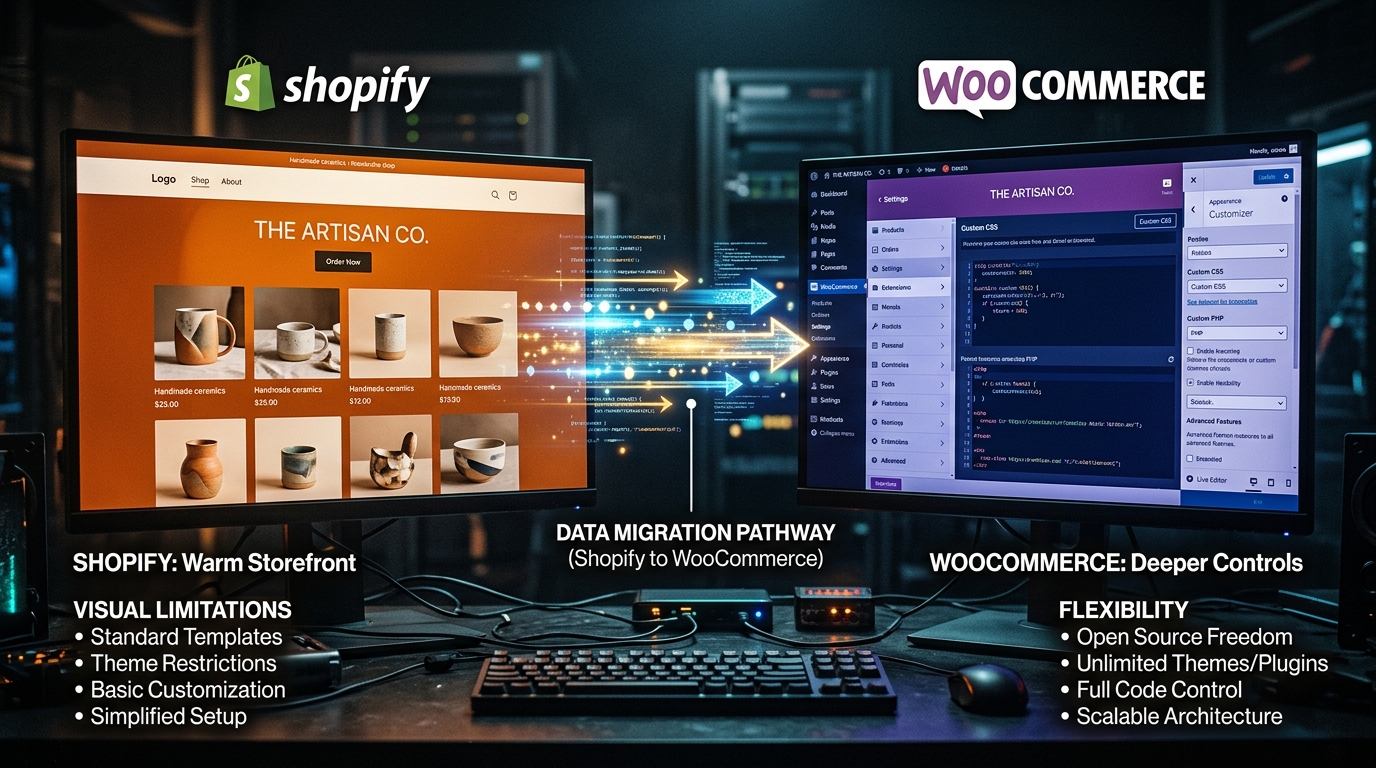
On Shopify, your store lives on their infrastructure. If Shopify changes its pricing, removes a feature, or decides your store violates a policy, there is very little you can do about it. With WordPress, you own your files, your database, your hosting environment, and your data. Full stop.
SEO Flexibility Is Genuinely Limited
Shopify gives you basic SEO tools, but WordPress gives you full control. You can manage your URL structures, implement advanced schema markup, control your canonical tags, build internal linking systems, and do technical SEO work that is simply not possible inside Shopify’s closed environment.
Design and Customization Have a Ceiling
Shopify themes are well designed, but you are always working within the boundaries Shopify sets. With WordPress, there is no ceiling. You can build anything, customize every element, and create a brand experience that is completely unique to your business.
What You Need to Protect During Migration
The biggest fear most store owners have about migrating is losing something important. That fear is valid. A poorly managed migration can result in broken URLs, lost product data, missing customer records, and ranking drops that take months to recover from.
Here is what a proper migration must protect.
Your Product Data and Customer Records
Every product, variant, image, description, price, and inventory record needs to move across accurately. Your customer database, order history, and account information all need to be exported from Shopify and imported into WooCommerce cleanly. This is not something you want to do with a basic CSV import and hope for the best.
Your Search Engine Rankings
Your Shopify URLs and your WordPress URLs will be different. Every page that changes its URL needs a 301 redirect pointing from the old address to the new one. Without a complete redirect map, Google will see your pages as missing and your rankings will drop. A professional migration creates a redirect for every single changed URL before anything goes live.
Your Page Speed and Core Web Vitals
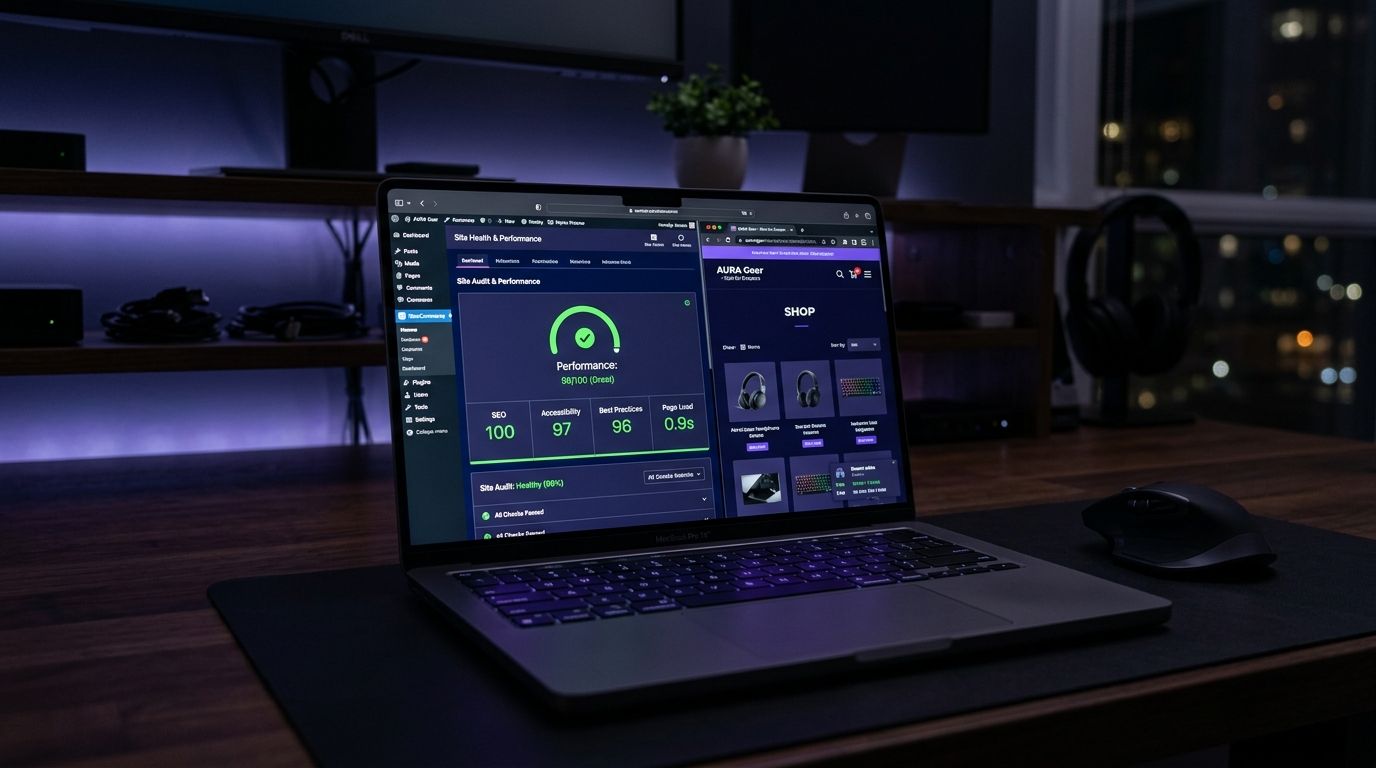
Shopify is optimized for speed out of the box. When you migrate to WordPress, the new setup needs to be configured correctly or you can end up with a slower site than you started with. Proper hosting selection, caching setup, image optimization, and theme choice all matter here.
At Vyntic Studio, every migration we handle includes a full technical review and speed optimization pass before the new site ever goes live.
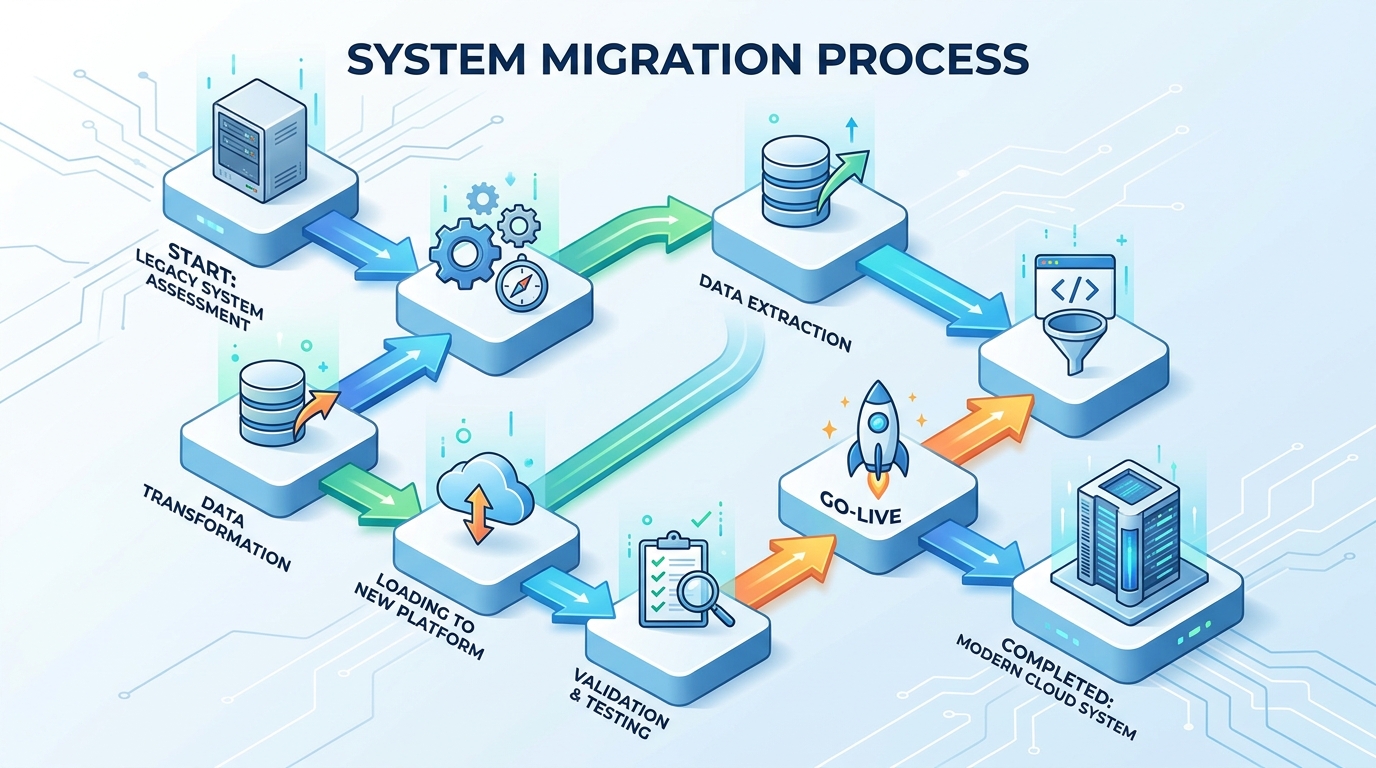
The Shopify to WordPress Migration Process, Step by Step
A properly managed migration follows a clear sequence. Rushing any stage creates problems that are often expensive to fix after launch.
Step 1: Audit Your Existing Shopify Store
Before anything moves, you need a complete inventory of what you have. How many products? How many pages? What apps are you using that will need WordPress equivalents? What does your current URL structure look like? This audit shapes every decision that comes after it.
Step 2: Set Up Your WordPress and WooCommerce Environment
Choose a host with managed WordPress hosting and enough resources for your store’s traffic and product catalog. Install WordPress, configure WooCommerce, and set up the core plugins you need before importing a single piece of data.
Step 3: Export Your Shopify Data
Export your products, customers, orders, and blog content from Shopify. Depending on the size and complexity of your store, this export process may require custom scripts to capture everything accurately, including product variants, metafields, and collections.
Step 4: Import and Clean Your Data in WooCommerce
Import your products into WooCommerce and review everything carefully. Product images, categories, tags, variants, and prices all need to be verified. This stage usually takes longer than most people expect.
Step 5: Build Your Redirect Map
Create a complete 301 redirect mapping document before launch. Every Shopify URL that no longer exists needs a redirect pointing to the correct WooCommerce equivalent. Product pages, collection pages, the blog, and any other content pages all need to be covered.
Step 6: Design and Develop the New Site
This is where the real value of migration comes in. You are not just copying your old site into a new system. You are building something better. Vyntic Studio’s e-commerce development approach focuses on conversion-optimized layouts, fast load times, and mobile-perfect experiences from the ground up.
Step 7: Test Everything Before Going Live
Test your checkout, your payment gateway integrations, your redirect chains, your page speed scores, your mobile responsiveness, and your forms. Test on multiple browsers and devices. Document every issue and fix it before you flip the switch.
Step 8: Launch and Monitor
Go live during a low-traffic period. Monitor Google Search Console closely in the days following launch for crawl errors, redirect issues, or ranking changes. Most legitimate ranking fluctuations after a well-managed migration settle back within two to four weeks.
Common Mistakes That Sink Migrations
Most migration horror stories have the same root causes. Here is what to avoid.
- Skipping the redirect map entirely. This is the most common and most damaging mistake. Every changed URL without a redirect is a dead end for Google and for your customers.
- Choosing a slow or unqualified host. Your WordPress store needs proper managed hosting. Shared hosting plans are not designed for the demands of an active e-commerce operation.
- Using a cheap theme and calling it done. Your new WordPress store should be a step up from what you had, not just a different platform running the same underperforming design.
- Not testing the checkout before launch. Payment gateway issues discovered after going live cause real lost sales. Test every payment method before anything is public.
- Migrating during a peak traffic period. Even with a smooth migration, there is always some risk. Schedule it for a quiet period in your calendar.
Is Migrating Worth It?
For most businesses that have outgrown Shopify, yes. The savings on platform fees, the increase in SEO control, and the freedom to build a custom experience all add up quickly. The key is doing it properly, with someone who has done it many times before and knows where the landmines are.
You can explore our portfolio to see the kinds of results our clients have seen after migrating, or get a free site audit if you want an honest assessment of whether migration makes sense for your specific situation.
If you are ready to make the move, start a project with us and we will scope everything out clearly from day one.
Final Thoughts
Migrating from Shopify to WordPress is not something to rush or DIY if your store is doing real revenue. The risks are real, but so are the rewards. With the right team handling the technical side, you can move platforms without losing a single ranking or sales record, and come out the other side with a faster, more flexible, more profitable online store.
Also worth reading: our detailed migration guide covering data, SEO, and setup in even more depth.

Comments