

Wix to WordPress Migration Service
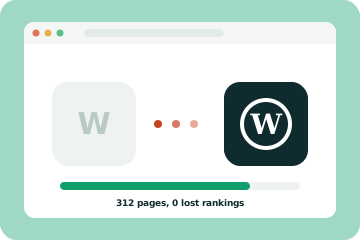
Move from Wix to WordPress with your content and rankings intact. Wix cannot export a working site, so we rebuild it properly and redirect every URL.
- Full rebuild on WordPress
- Blog posts moved
- Every URL redirected
Why businesses leave Wix
If any of these sound like your business, you are in the right place. Each one is fixable.
Check my site for free-
Speed limits
Wix sites can be heavy, and you have limited control over how code and images load.
-
SEO control
Advanced control over structure, schema and technical settings is easier on WordPress.
-
Growing needs
Custom features, integrations and larger content sites push against Wix limits.
-
Lock-in
Wix cannot export a working site, so the longer you stay, the bigger the eventual move.
What our migration includes
-
01
Site and SEO audit
Every URL, title and ranking page recorded first.
-
02
Page rebuild
Every page rebuilt on a fast, editable WordPress theme.
-
03
Blog migration
Posts moved with images, categories and dates.
-
04
Image re-hosting
Images downloaded from Wix and optimised.
-
05
Forms and bookings
Rebuilt and connected to your email, CRM or booking tool.
-
06
URL mapping and redirects
Wix URL patterns like /post/ mapped and redirected.
-
07
SEO settings
Titles, descriptions, alt text and schema set up.
-
08
Launch and monitoring
Domain connected, sitemaps submitted and rankings watched.
Wix to WordPress
A Wix to WordPress migration is really a rebuild plus a careful content move, because Wix does not offer a way to export a working website. The good news is that with a proper plan you keep your content, improve speed and SEO, and hold on to your Google rankings. Here is how the process works.
Why businesses move from Wix to WordPress
Wix is easy to start with. Businesses usually move when they want faster pages, more SEO control, custom features or integrations, or simply the freedom to own and host their site however they like. Because Wix cannot export a site, moving earlier is usually easier and cheaper than moving later.
What transfers and what does not
- Pages and design: no export, so every page is rebuilt on WordPress
- Blog posts: usually moved through the Wix blog RSS feed or copied, then cleaned up
- Images: downloaded from Wix and re-hosted, ideally optimised on the way
- Forms, bookings and members areas: rebuilt with WordPress tools
- Stores: products moved to WooCommerce or Shopify with a separate process
- SEO settings: titles and descriptions recreated page by page
Step-by-step Wix to WordPress migration
- Crawl your Wix site and record every URL, title and description
- Check Search Console for your most visited and linked pages
- Set up WordPress on your new host, on a staging site
- Rebuild the design and every page as editable blocks
- Move blog posts using the RSS feed or manual transfer, then fix formatting
- Download and re-host images with alt text
- Rebuild forms and bookings and connect them to your tools
- Set titles, descriptions and schema for every page
- Map every Wix URL, including /post/ blog URLs, and add 301 redirects
- Test everything on staging
- Connect your domain, submit sitemaps and monitor Search Console
Protecting your rankings
Wix uses fixed URL patterns, especially for blog posts, so most URLs will change. That is fine as long as each old URL has a 301 redirect to its new page. Keep your best performing content, titles and headings, and make sure the new site is faster. Our website migration SEO checklist covers every step.
Common Wix migration mistakes
- Copying pages without redirecting the old Wix URLs
- Pasting blog posts with broken formatting and missing images
- Leaving images hosted on Wix, which can break later
- Forgetting forms, bookings and email notifications
- Cancelling Wix before the new site is live and checked
Choosing WordPress hosting
Wix included hosting in your plan. On WordPress, a managed host with backups, a CDN and staging sites usually gives the best balance of speed and cost. We recommend a host that suits your traffic and budget, and the account is yours.
After the move
Launch day is not the end. For the first few weeks, check Search Console for crawl errors and pages that dropped out of the index, and fix any redirect you missed. Compare traffic and rankings with the weeks before the move. Then keep WordPress updated, backed up and fast. That is exactly what our WordPress maintenance plans cover, so the new site stays in better shape than the old one.
Timeline and cost
Most small Wix sites take two to four weeks to move. Because every page is rebuilt, cost depends on page count, blog size and features. Most fall within our Starter ($1,490) or Business ($2,990) packages; stores start from $4,990. Try the website cost calculator for an estimate.
Do it yourself or hire us?
If you have a handful of pages and no blog, you can rebuild on WordPress yourself. With many posts, good rankings or a store, a managed move protects your traffic. We rebuild, move, redirect and monitor for a fixed price. Not sure you should move? Read Squarespace vs Wix vs WordPress or stay on Wix with our Wix website design service. See all website migration services.
How it works
Clear steps, one fixed price and no jargon along the way.
-
Step 1
Audit and URL map
We crawl your current site and list every URL, title and ranking page.
-
Step 2
Build on WordPress
Your design rebuilt on a fast theme, on a private staging site.
-
Step 3
Move and redirect
Content imported, images re-hosted and every old URL redirected.
-
Step 4
Launch and monitor
We switch the domain, submit sitemaps and watch Search Console for weeks.
Recent work
A few projects we are proud of.

Guides on this topic
 Web design
Squarespace vs Wix vs WordPress: which is best in 2026?
Wix or WordPress? A plain English comparison of ease, SEO, speed, cost and ownership.
Web design
Squarespace vs Wix vs WordPress: which is best in 2026?
Wix or WordPress? A plain English comparison of ease, SEO, speed, cost and ownership.
 SEO
Website migration SEO checklist
The steps that protect your rankings when you move to a new website platform.
Industries
How much does a law firm website cost?
Typical law firm website costs in 2026 and what drives the price for small and mid-size firms.
SEO
Website migration SEO checklist
The steps that protect your rankings when you move to a new website platform.
Industries
How much does a law firm website cost?
Typical law firm website costs in 2026 and what drives the price for small and mid-size firms.
Get a free audit of your website.
Enter your address and we will check it the way Google does. You get a plain-English report of what is slowing the site down, what is hurting your rankings and what to fix first.
- Mobile and desktop PageSpeed scores
- Core Web Vitals: LCP, CLS and INP
- On-page SEO: titles, headings, schema
- The three fixes that will make the biggest difference
Free, with no sales call required.
Questions we hear a lot
Can Wix export my site to WordPress?
No. Wix does not offer a full site export. Blog posts can often be pulled through the blog's RSS feed, but pages and design must be rebuilt.
Will I lose rankings?
Not if every URL is redirected. Wix uses patterns like /post/post-name for blogs, which we map to your new structure.
How long does it take?
Two to four weeks for most small business sites.
What about my Wix domain?
If you bought your domain through Wix, you can transfer it or point it to your new host. We guide you through it.
Can you move my Wix store?
Yes, to WooCommerce or Shopify, with products and key content moved and URLs redirected.
What does it cost?
A fixed price after a short call. Most sites fall in our Starter or Business package range.
Often paired with
Start a project
Tell us a little about your business. You will hear from a real person within 24 hours with next steps and a rough budget range.
Thank you!
Your message is on its way. We read every inquiry ourselves and will reply within one business day.
- 1We read your message and look at your current site.
- 2You get a reply within one business day, usually with a few first ideas.
- 3If it is a good fit, we book a short call at a time that suits you.