

What Is a Google Business Profile and Why Does It Matter?
A plain English explanation of what a Google Business Profile is, where it appears, what it includes and why it matters for local customers.
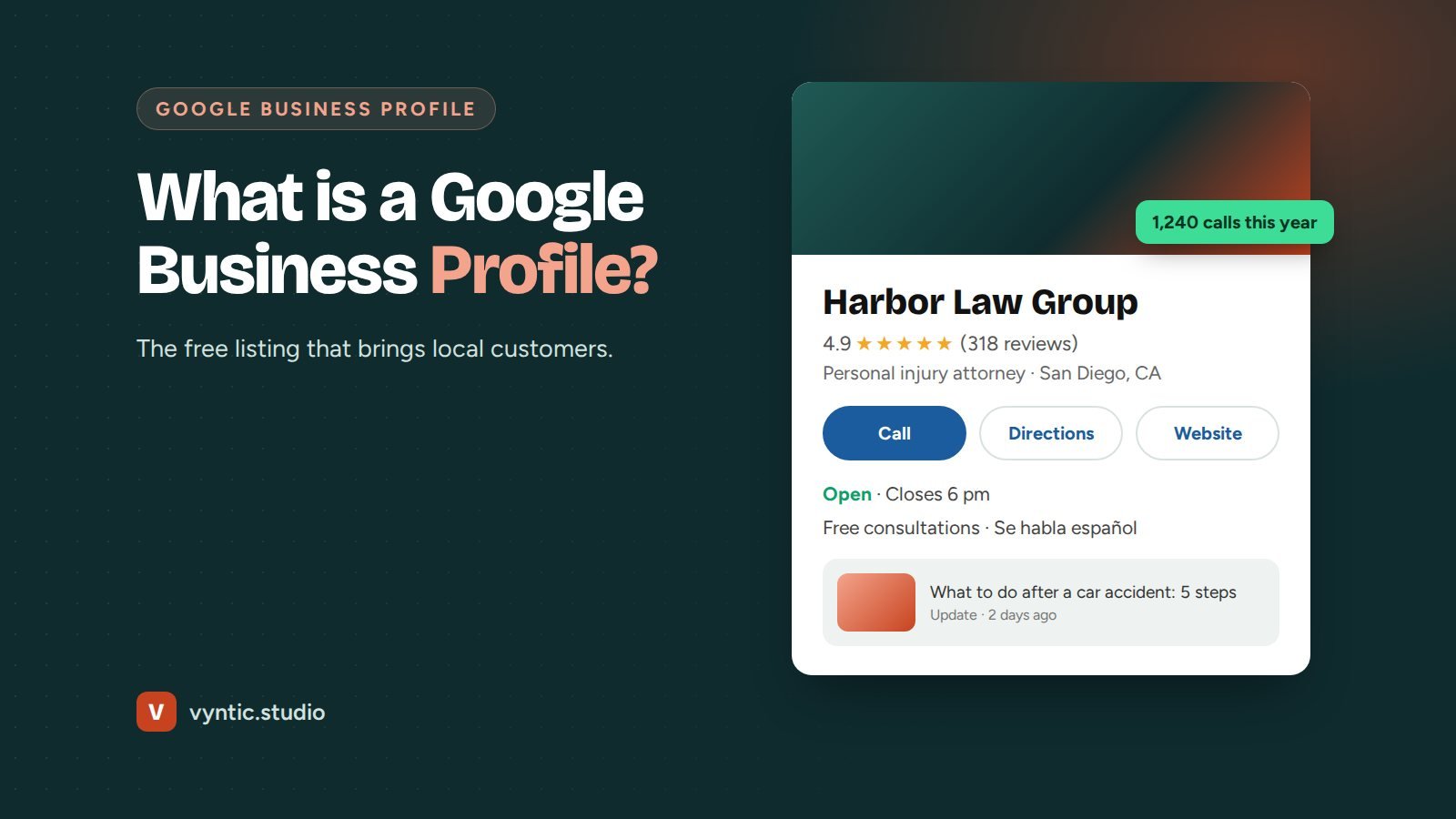
What is a Google Business Profile? It is the free business listing that appears on Google Search and Google Maps when people look for your business or for your type of service nearby. It shows your name, location or service area, opening hours, phone number, website, reviews, photos and more. For many local customers, it is the first thing they see about you, and often the only thing they look at before calling.
It used to be called Google My Business. The name changed in 2021, but it is the same free listing.
What is a Google Business Profile used for, and where does it appear?
Your profile can appear in three main places:
- The map pack: the map with three businesses that appears above the normal results for searches such as “dentist near me”.
- Google Maps: when people search or browse in the Maps app.
- The knowledge panel: the large box on the right of Google results on desktop, or at the top on mobile, when someone searches your business name.
It also feeds information to other Google features, and it is one of the sources AI tools and Google AI Overviews use when they describe local businesses.
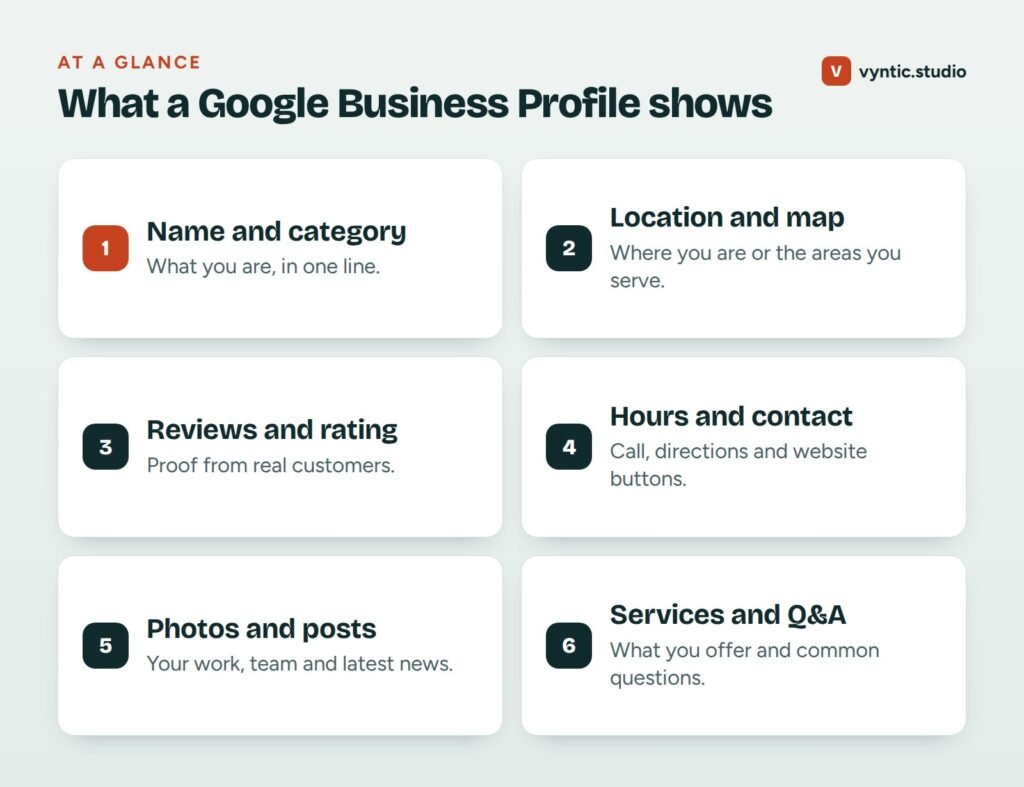
What a Google Business Profile includes
| Section | What it shows |
|---|---|
| Name and category | Your business name and what type of business you are |
| Location or service area | Your address, or the areas you serve if you visit customers |
| Hours | Opening hours, plus special hours for holidays |
| Contact | Call, directions, website and booking buttons |
| Reviews | Star rating, review count and individual reviews with replies |
| Photos and videos | Your premises, team, products and work |
| Posts | Updates, offers and events |
| Services and products | What you offer, with descriptions and prices |
| Questions and answers | Questions from the public, answered by you or others |
Why a Google Business Profile matters
It is where local customers decide
For local searches, many people never scroll past the map pack. They compare star ratings, read a few reviews, look at photos and call. A complete, active profile gives you a real chance of being the business they choose.
It drives calls, not just visits
Profiles have direct call and directions buttons. That makes them one of the shortest paths from search to phone call of any marketing channel.
It is free
There is no cost to create or manage a Google Business Profile. Be careful of anyone who calls claiming you must pay Google to keep your listing.
It helps you rank
A well managed profile is one of the strongest local ranking factors. Category choice, reviews, photos and how complete the profile is all play a part.
Who can have a Google Business Profile
Businesses that meet customers in person qualify. That includes shops, offices, clinics and restaurants with a location, and service area businesses such as plumbers, cleaners and mobile mechanics who visit customers. Online-only businesses without in-person contact are not eligible.
Google Business Profile vs your website
Your profile and your website do different jobs and work best together. The profile helps people find you and compare you quickly. Your website gives the detail that convinces them: services, prices, process, case studies and answers to their questions. Google also uses your website to judge how relevant your profile is, so a strong site helps the profile rank.
Common Google Business Profile myths
“I need to pay Google to rank higher.” You cannot pay for a better position in the normal map results. Google sells ads that can appear above them, but the profile rankings themselves are earned.
“Once it is set up, I am done.” Profiles that are updated regularly with photos, posts and replies to reviews tend to perform better than profiles left untouched for years.
“Adding my city to my business name will help.” It might work briefly, but it breaks Google guidelines and is a common reason for suspension. Use your real business name.
“Negative reviews will ruin me.” A few critical reviews among many positive ones make a profile look real. What matters is how you reply: calmly, quickly and with an offer to fix the problem.
“Only shops need a profile.” Service area businesses, clinics, law firms, contractors and many others benefit just as much, often more.
How to get started
If you do not have a profile yet, follow our step by step guide on how to create a Google Business Profile. If you already have one, our Google Business Profile guide explains how to improve it, and our local SEO checklist shows how it fits with the rest of your local marketing.
If you would rather have it done for you, our Google Business Profile optimization service sets up and optimizes your profile and keeps it active every month. Book a free project call to see where your profile stands today.
Frequently asked questions
What is a Google Business Profile used for?
It shows your business on Google Search and Google Maps with your address or service area, hours, phone, website, reviews and photos, so local customers can find and contact you.
Is Google Business Profile the same as Google My Business?
Yes. Google My Business was renamed Google Business Profile in 2021. It is the same free listing.
Does every business need a Google Business Profile?
Any business that serves customers in person, at its premises or at the customer location, should have one. Online-only businesses without a physical presence are not eligible.
How do I know if my Google Business Profile is working?
Check the Performance section of your profile. It shows how many people viewed it, called, asked for directions and clicked to your website, and which searches found you. Compare the numbers month by month.
Can I manage my Google Business Profile from my phone?
Yes. You can edit details, reply to reviews, add photos and post updates directly from Google Search or the Google Maps app when signed in to the owner account.
Who can see my Google Business Profile?
Anyone who searches for your business name or for your type of business nearby can see it on Google Search and Maps.
2 comments